
Laptops for work and personal use are becoming the norm. However, laptop use causes hunched backs, necks that stick out, and pain in the shoulders and arms. Try these steps to make your laptop use more ergonomic, safe, and healthy.
- Take frequent breaks from using your laptop. Sitting or standing in the same position for long periods of time, especially at odd angles, can be unhealthy. Try to take at least one break an hour.
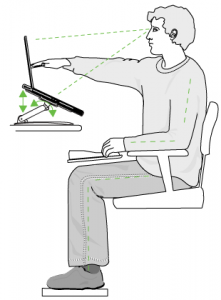
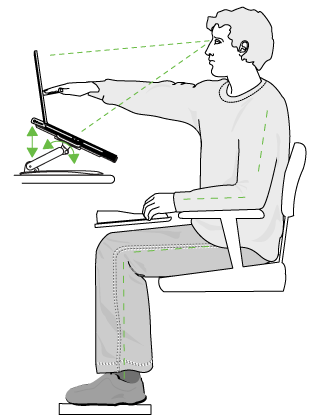
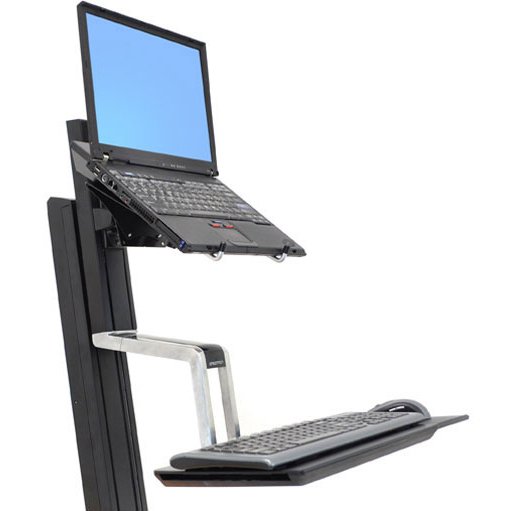
- Adjust your laptop screen angle and height to avoid straining your neck. Normally neck, shoulder, and upper back strain occur because the screen is too low. Mounting your laptop on a desk or wall can help get a better angle or height.
- Adjust the lighting and direction of the screen so that glare from other light sources is minimized to help reduce eyestrain.
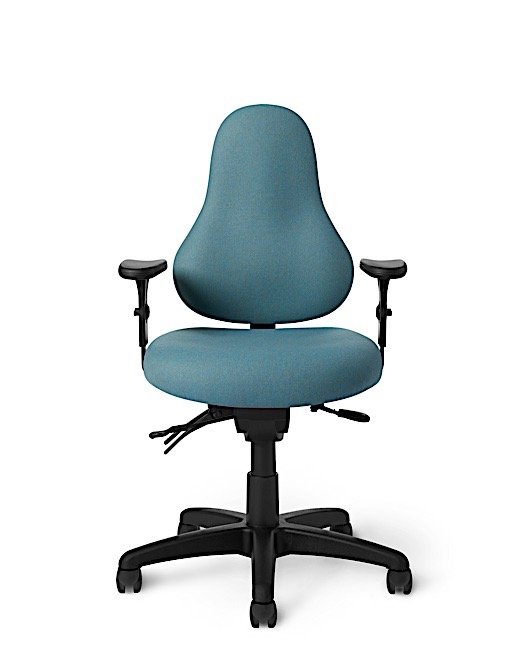
- Find a comfortable chair that allows you to position your laptop and keyboard in the most neutral arm position. Your arms should be close to the body, forearms 1-2” above the lap, and elbows at a 90° angle.
- Find a laptop that matches your personal working style. If you travel a lot and need to use your laptop on the plane or in other compromised positions, a smaller screen size between 12-15 inches works best. If you work primarily at a desk or table, laptops with larger screens like 17 inches, will give you more workspace and a larger keyboard. Larger keyboards are easier to use but the overall unit can be less portable.
- Find out how heavy your laptop needs to be. Laptops with larger screens and keyboards are heavier, but there are also additional accessories that can add weight. Longer lasting or large batteries, DVD drives, and other add-ons will add weight. If you’re mobile, get a shoulder strap carrying bag, or a mobile laptop roller bag so that you can carry your laptop without causing significant shoulder injury.
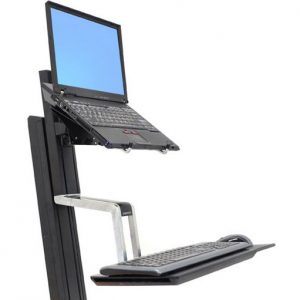
- Create a desktop with your laptop. Use an external monitor, mouse and keyboard, a docking station accessory, or a laptop stand to create a stationary work station. Remember to make sure your setup is ergonomically optimal for you.
Please contact us for more information or to get advice about how you can use your laptop more ergonomically.