What if you want to get onto the sit stand bandwagon but don’t want to get rid of your existing desk?
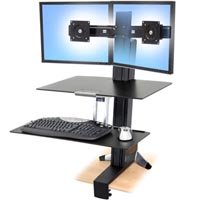
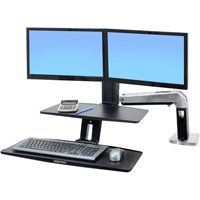
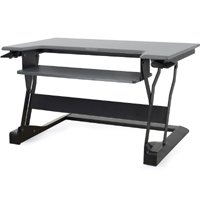
Simple, you convert your desk to a standing desk with a converter. The four different WorkFit series of workstations are meant exactly for that. See our chart below for easy workstation comparisons, so you can make the decision that works best for you!
| Part # | WorkFit-S 33-349-200 | WorkFit-A 24-392-026 | WorkFit-T 33-397-085* | WorkFit-TL 33-406-085* |
 |
 |
 |
 |
|
| Description | Converts your desk to a Dual Monitor Sit-Stand Workstation |
Converts your desk to a Dual Monitor Sit-Stand Workstation |
Converts your desk to a Sit-Stand Workstation | Converts your desk to a Sit-Stand Workstation (Updated version of WorkFit-T) |
| Price | $561.99 | $549.00 | $398.99/416 | $445.99/474 |
| Placement | Installs in front of the desk | Installs at back of the desk | Sits on your desk | Sits on your desk |
| Includes | Dual monitor mounts, worksurface, keyboard tray | Dual monitor mounts, worksurface, keyboard tray | Worksurface, keyboard tray | Worksurface, keyboard tray |
| Assembly | Simple | Simple | Ships fully assembled | Ships fully assembled |
| Installation | C Clamp or Grommet mount | C Clamp or Grommet mount | No Installation – Just place on your desk | No Installation – Just place on your desk |
| Keyboard Tray Placement (While Sitting) |
Below the desktop, above your lap | Below the desktop, above your lap | On desktop – Might need under desk keyboard tray ** | On desktop – Might need under desk keyboard tray ** |
| Space Requirement | Good for small cubicles | Needs more space, larger cubicle | Sits on a desk 24″ deep x 35″ wide | Sits on a desk 24″ deep x 37.5″ wide |
| Stability | Ideal for heavy typers | Ideal for light typers | Ideal for both kinds of typers | Ideal for both kinds of typers |
| Worksurface dimensions | 0.25″H x 23″W x 15″D | 0.25″H x 22″W x 10″D | 35″W x 23-1/4″D | 37.5″W x 25″D |
| Keyboard tray dimensions | 0.25″H x 27″W x 9″D | 0.25H x 27.1W x 10.1″D | 25″W x 9″D | 27.5″W x 11″D |
| Monitor dimensions | Holds 2 monitors 24″ side by side (max outside width of display 24.5″) |
Holds 2 monitors 24″ side by side (max outside width of display 24.5″) |
Hold 1 or 2 monitors as long as the total weight limit is 10-35lbs |
Hold 1 or 2 monitors as long as the total weight limit is 10-40lbs |
| Required Desk dimensions | Desk needs to be at least 16″ deep, 0.47″-2.4″ thick for desk clamp option |
For desk clamp option, desk surface up to 31.5″ deep. For grommet mount, center of grommet hole should be no more than 29.5″ from front edge of desk |
Fits on desk 24″ deep or larger | Fits on desk 24″ deep or larger |
| Comment | Perfect for small space because of vertical footprint | Ideal for corner desks or work area with large desk space |
Perfect for small cubicles because of vertical adjustment |
Requires 1.5″ more width compared to WorkFit-T |
* WorkFit-T comes in 2 colors. Part # for black WorkFit-T is 33-397-085 ($398.99) and white WorkFit-T is 33-397-062 ($416)
* WorkFit-TL comes in 2 colors. Part # for black WorkFit-TL is 33-406-085 ($445.99) and white WorkFit-TL is 33-406-062 ($474)
** An under desk keyboard tray is a helpful addition to both WorkFit-T & WorkFit-TL. The keyboard above the desk might work for you if you are a tall person. Otherwise an additional under desk keyboard tray will bring the keyboard below the work surface and provide ergonomic relief to shoulders and forearms while you’re in a sitting position.
To view our selection, visit our Standing Desk Converters page – https://www.ergodirect.com/default.php?cPath=754