A monitor stand is your entry into ergonomic products especially if you are looking for an economical price point. A simple, no-mounting free-standing installation is another advantage. Place it directly on your tabletop (no drilling required), attach a monitor and you are good to start work.
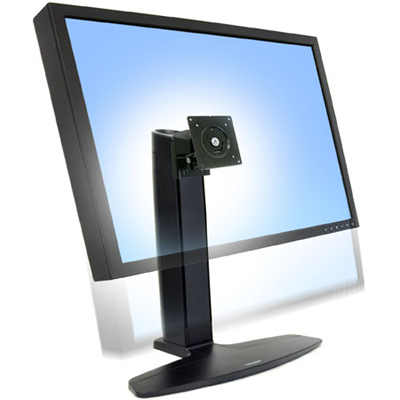
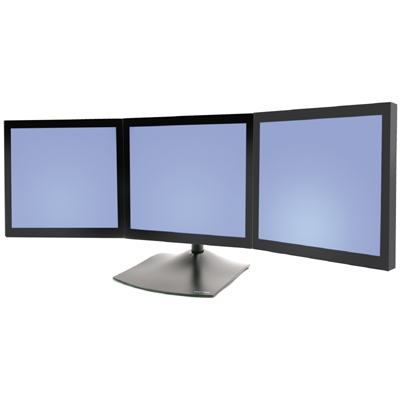
Unlike a monitor arm, a monitor stand will however provide limited adjustability, that is, limited height adjustment and tilting capability but no extension. Though a monitor arm will provide advanced height (13″-20″) and reach adjustability, it is not appropriate if you have a glass tabletop or an antique table that you cannot bear to drill holes in.
Monitor stands are not only good for home office or corporate office but they find great use in trade shows, convention centers, office lobbies, retail areas, sports arena, airports and auditoriums for digital signage, price checking stations and information booths. Monitor stands are also a tool for visual presentations, educational lessons or recreational viewing and gaming. Available for single, dual or multiple monitors, monitor stands are placed on desks or on the floor too (for large public areas)


Here are the factors you need to consider before buying a monitor stand –
1. Size, make, model and weight of your monitor – Please make sure your monitor is compatible with monitor stand by checking the make and model of your monitor and whether the weight of your monitor falls within the weight limit of the stand.
2. Hole pattern – The VESA pattern in the back of the monitor must match the VESA pattern on the monitor stand. If not, adapters may be available. Most monitors come with a 75mm x 75mm or 100mm x 100mm VESA pattern.
3. Adjustability: Most stands enable back and forth tilting, left to right pan and landscape to portrait movement. Please make sure that the adjustability that you’re looking for is what the monitor stand offers.
4. Cable Management: A cable management system ensures that your monitor stand has a mess-free and clean look.
If you are not sure about the make and model of youe monitor, or the VESA pattern of your monitor, please call us at 888-456-ERGO or send us an email. We will evaluate compatibility and recommend the right monitor stand for you!