|
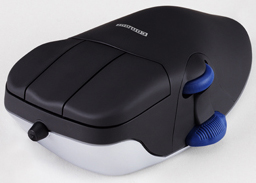
Contour Design CMO Ergonomic Mouse Perfit Optical with Scroll Wheel
|
|
|
|
|
|
|
|
|
|
Key Features and Benefits of:
|
|
|
-
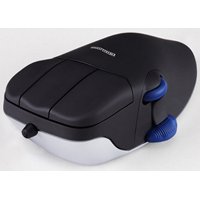
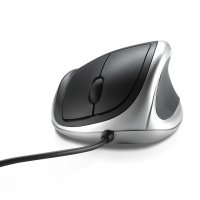
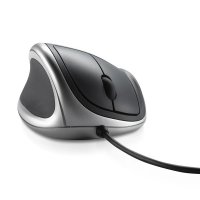
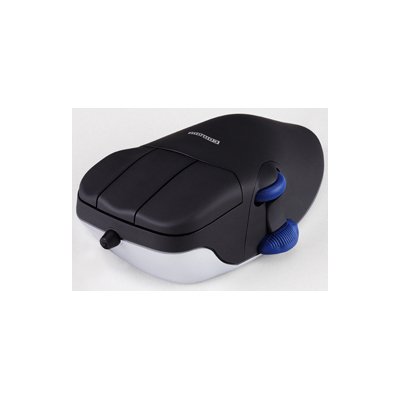
A pronounced hump on the top of the mouse supports the bones in your hand from underneath, just like an orthopedic arch in a well constructed athletic shoe. The specially designed arch fills the hollow of your palm and allows you to rest your hand on top of the mouse. This arch promotes straight alignment of your hand and wrist bones and slightly elevates your wrist off of the working surface. This helps to break the harmful habit of resting your wrist on the desk or mouse pad and pivoting the mouse from side to side. That pivoting can cause pain and discomfort as the forearm bones (radius and ulna) twist in directions not easily tolerated by human physiology.
|
-
Elongated buttons allow you to use the second knuckle of your finger to activate clicks, which uses a stronger, thicker tendon. On smaller, conventional mice, most users pull their fingertips back in order to activate the mouse buttons. The Contour Mouse allows you to rest your hand on top of the mouse and activate the buttons with small, subtle motions without flexing your fingers. Please view the product video on this web page for a more detailed visual demonstration of this advantage. The elimination of flexing reduces carpal tunnel use and the threat of repetitive strain injuries.
|
-
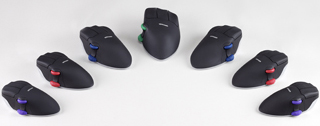
Customize your mouse with your choice of Black or White color, Right or Left handed, with or without a scroll wheel, available in four different sizes. There is a Contour Mouse that is right for you and your work habits as well as your hand size. One size doesn’t fit all in shoe sizes and hand sizes are similar.
|
-
Convenient, out of the box, “plug and play” connectivity for both PC and Mac computers. This HID compliant device has the drivers “on board” and simply needs to be plugged into any empty USB port, without the need for a cumbersome connection routine.
|
|
|
-
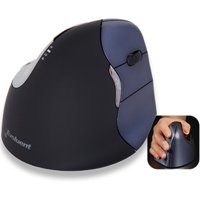
17 degree pronation angle relieves pressure on the forearm bones while still minimizing grip force. The design team considered more vertical designs in the development phase, but found that more grip force was required in order to activate the buttons. They found that a 17 degree angle relative to the working surface to be the right balance, relieving pressure from crossing the forearm bones caused by true “palm down” devices.
|
-
30 DAY, NO RISK, PRODUCT REFUND if you are not satisfied. You won’t appreciate this product’s ease of use and responsiveness until you try it out for yourself. Please view the product video on this page for the initial reactions of some first time users, so you can rely on an objective opinion and not our view of this beneficial product. If you are dissatisfied with your purchase in the first 30 days for any reason, simply ship it back to us for a refund.
|
|
|
|
|
|
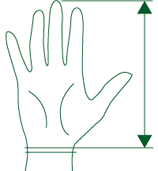
Size:
|
|
XL = 8.25" and up (21 cm or greater)
|
 |
|
L = 7.5" to 8.25" (19 cm to 21 cm) |
|
M = 6.75" to 7.5" (17 cm to 19 cm) |
|
S = Under 6.75" (Under 17 cm) |