Shipping: $18.98
* applies to Contiguous United States
Kinesis KB150P-LIN mWave Mechanical Keyboard for PC (Quiet Linear)


Description
As the market leader in computer ergonomics, Kinesis has been designing and building premium-grade ergonomic keyboards for more than 25 years. The all-new Kinesis KB150P-LIN mWave Mechanical Keyboard features a time-tested design UPGRADED for improved typing feel and ergonomics.
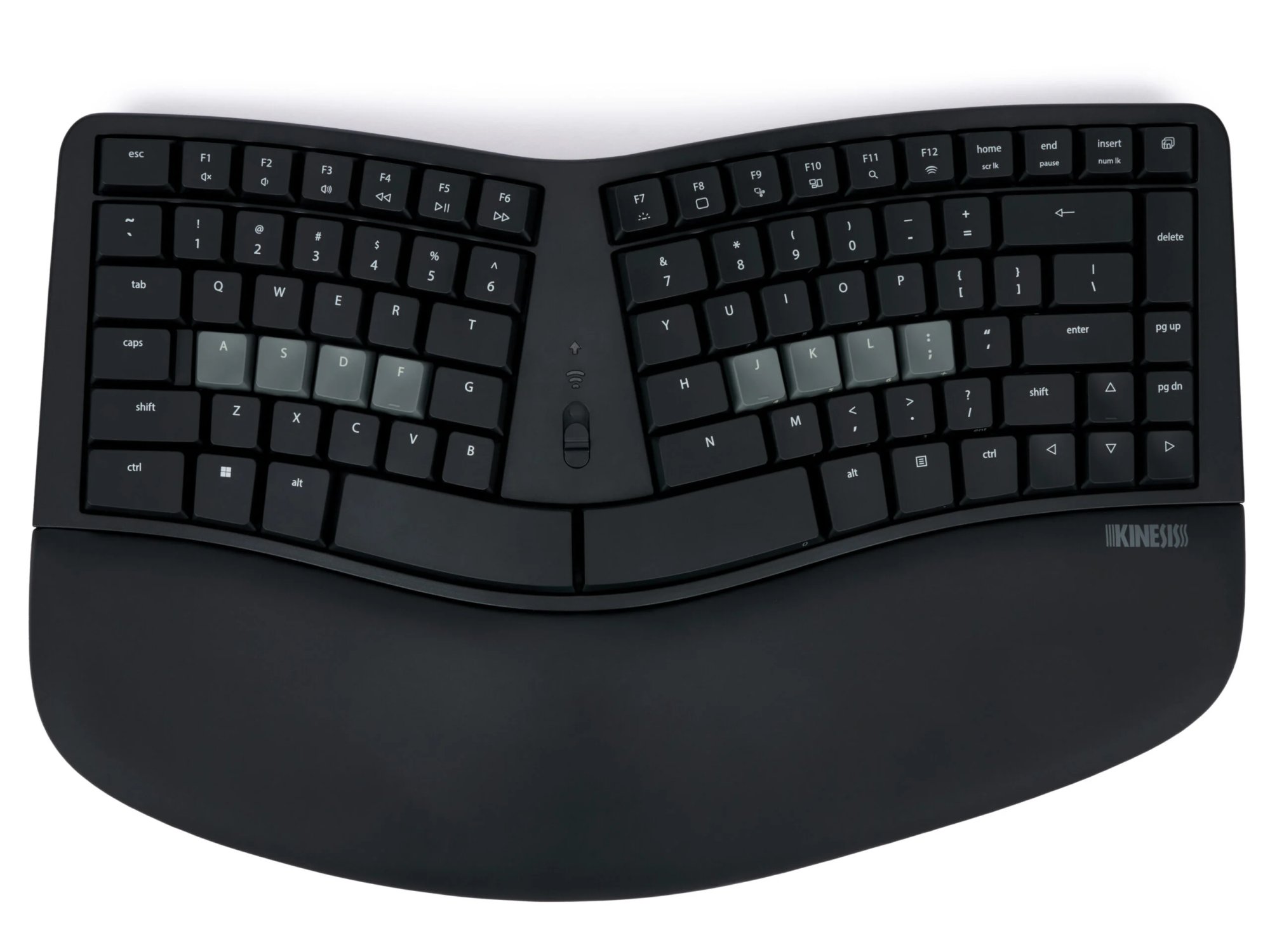
The classic "sculpt" design reimagined for a more discerning typist with mechanical switches, backlighting, easy programmability, integrated keypad, and choice of wired or wireless connectivity. Windows modifiers and hotkeys.
Features
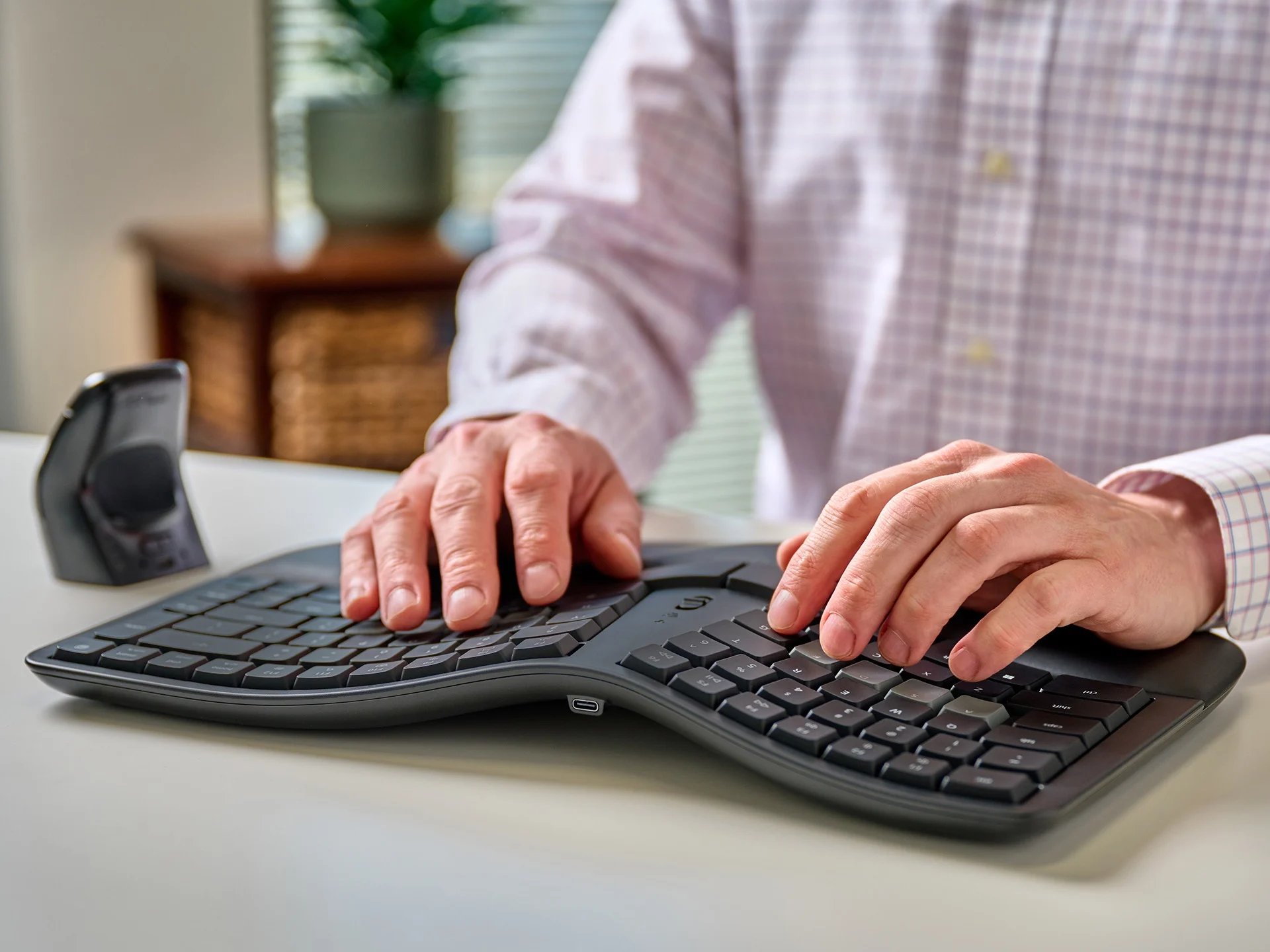
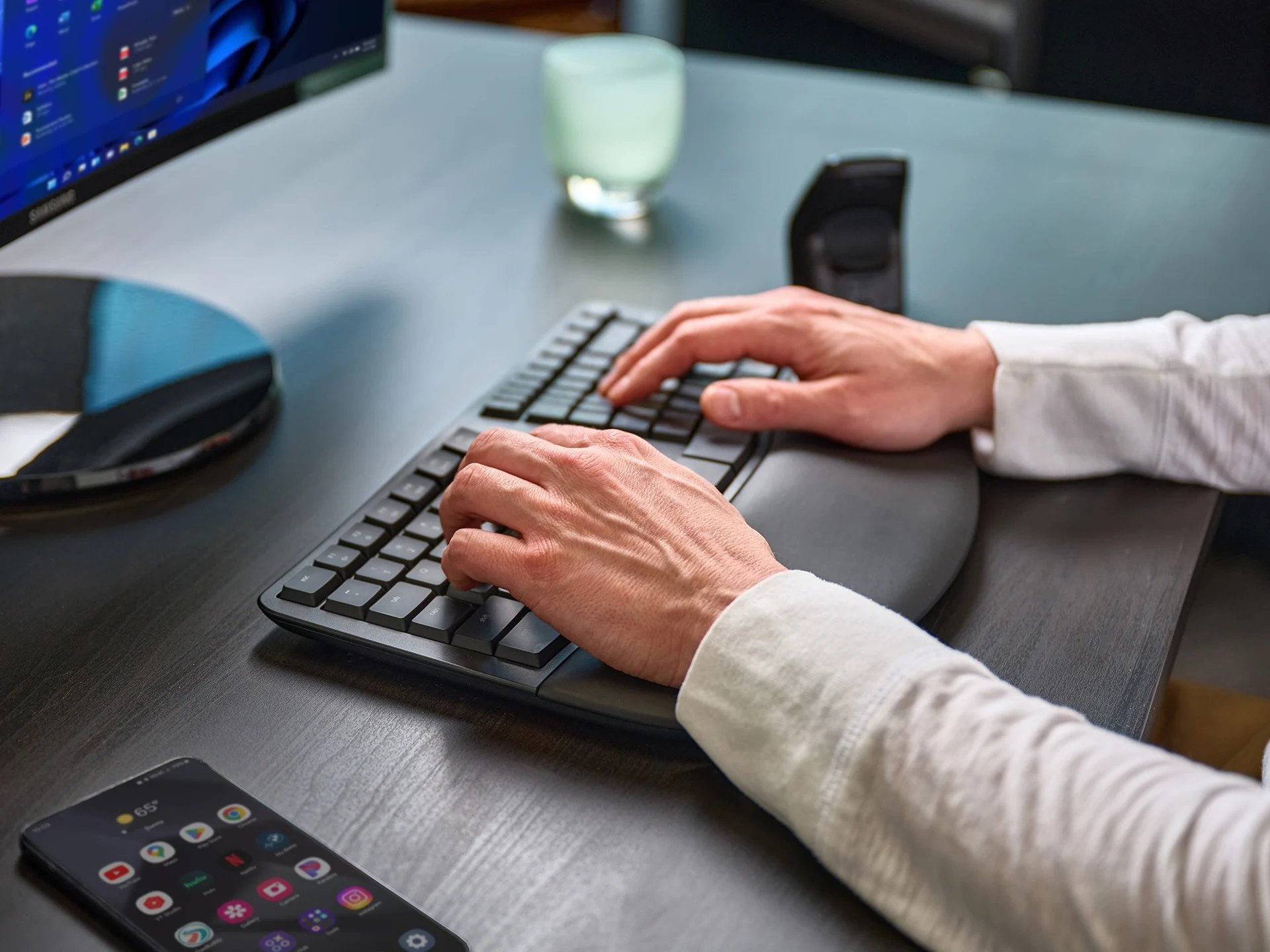
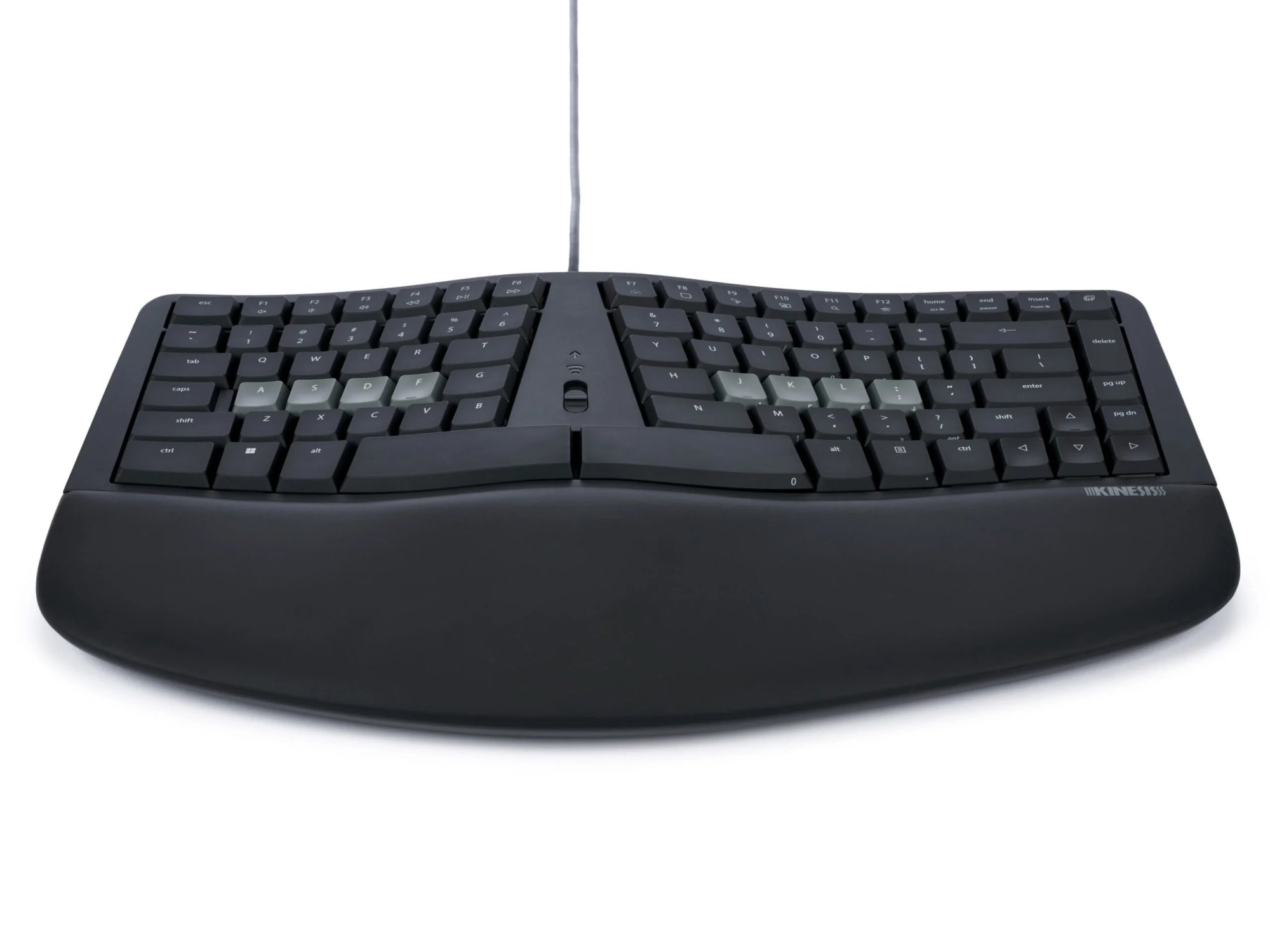
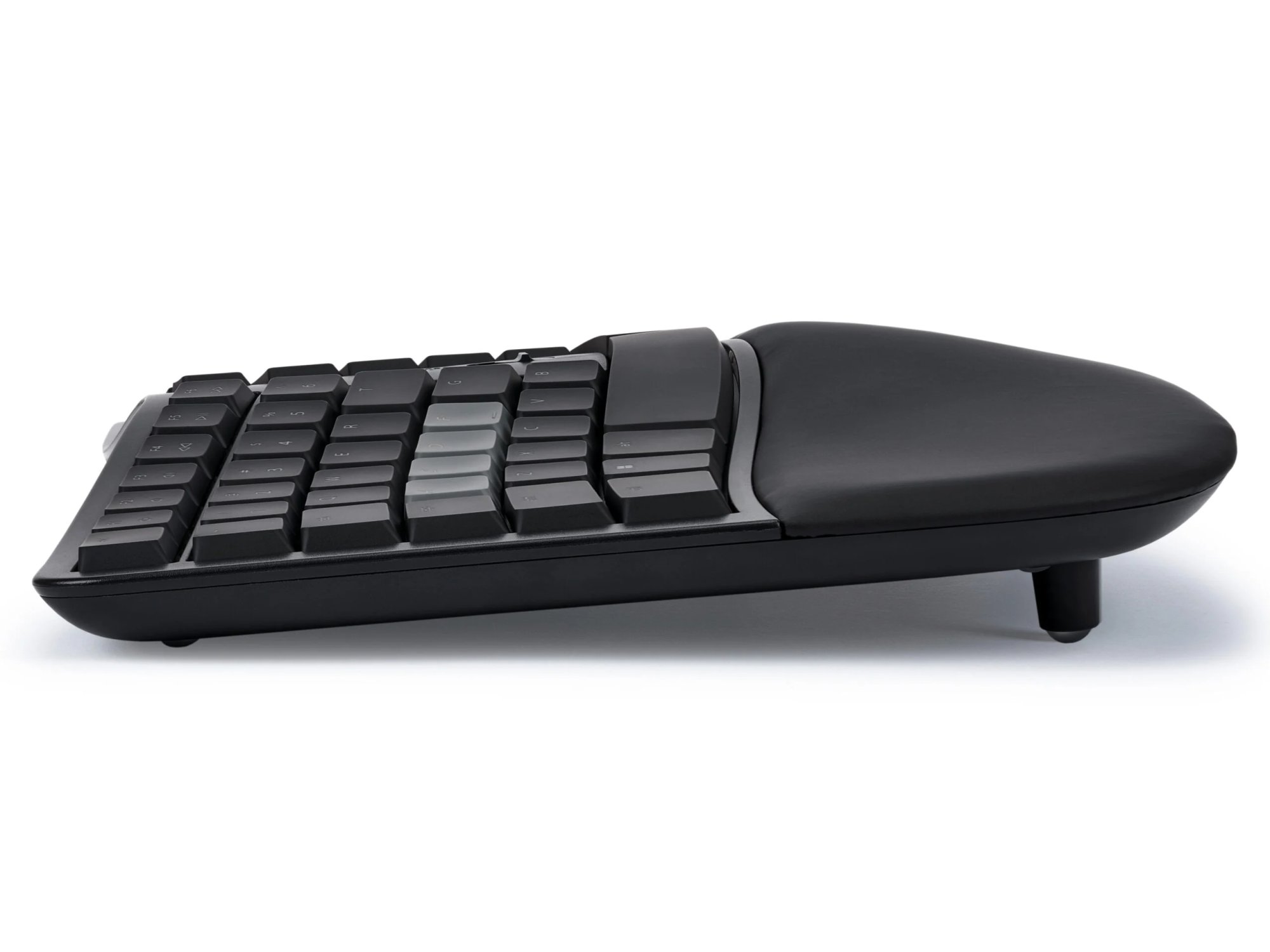
Fixed Split Design - Split design positions hands closer to shoulder-width in proper typing form to reduce ulnar deviation.
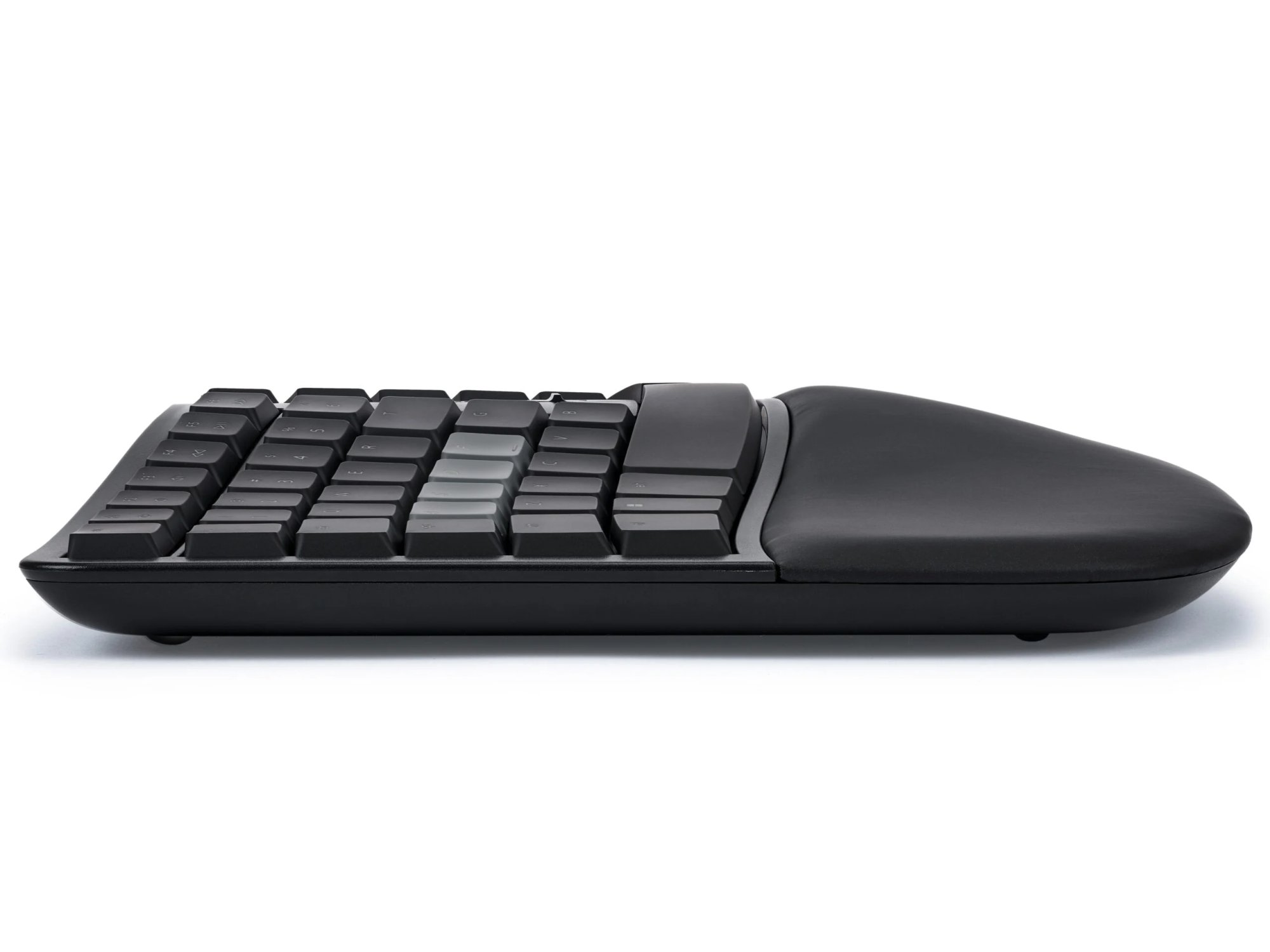
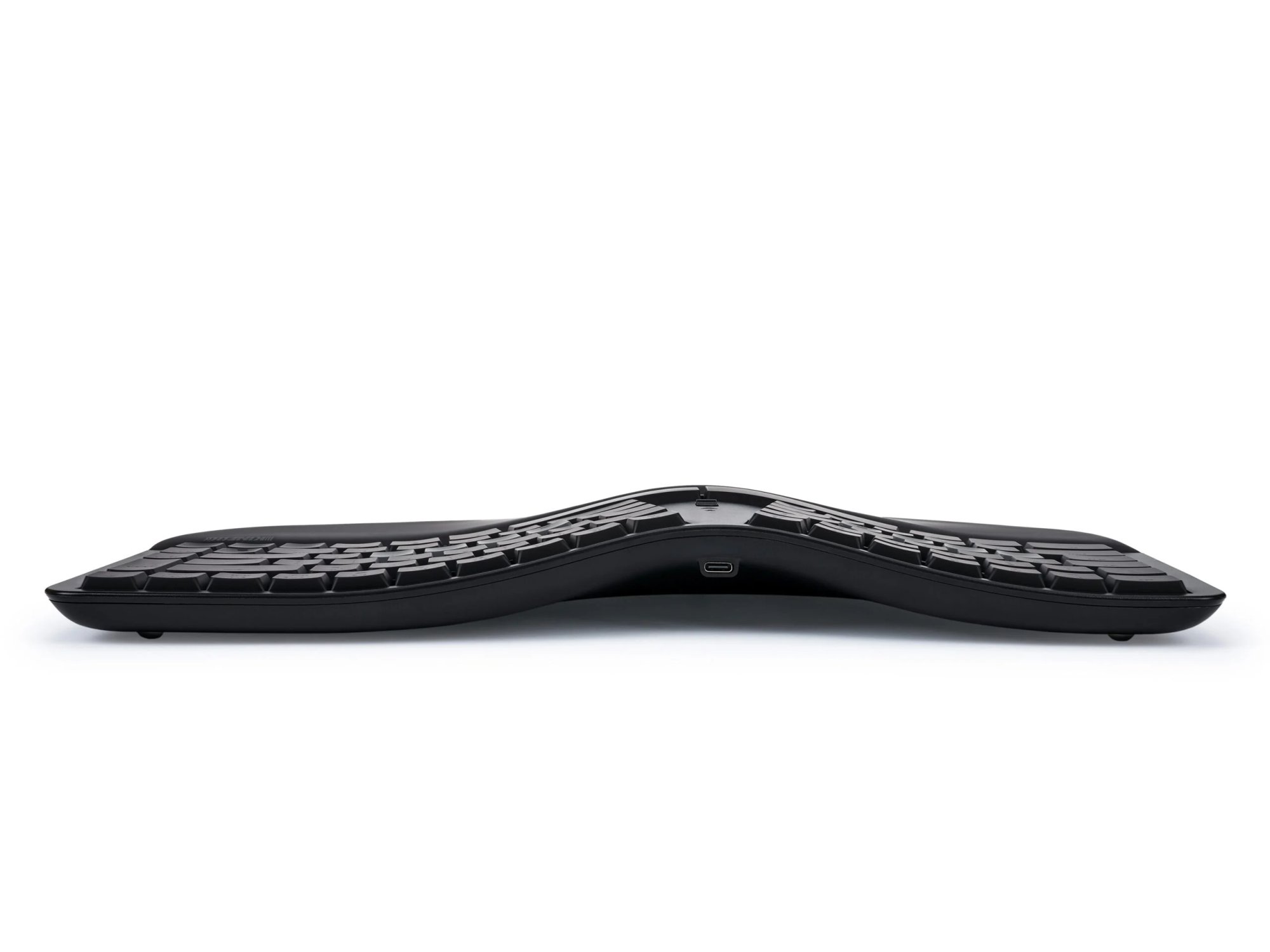
Integrated Tenting - Tenting elevates the thumb side of the hand to reduce forearm pronation caused by flat keyboards.
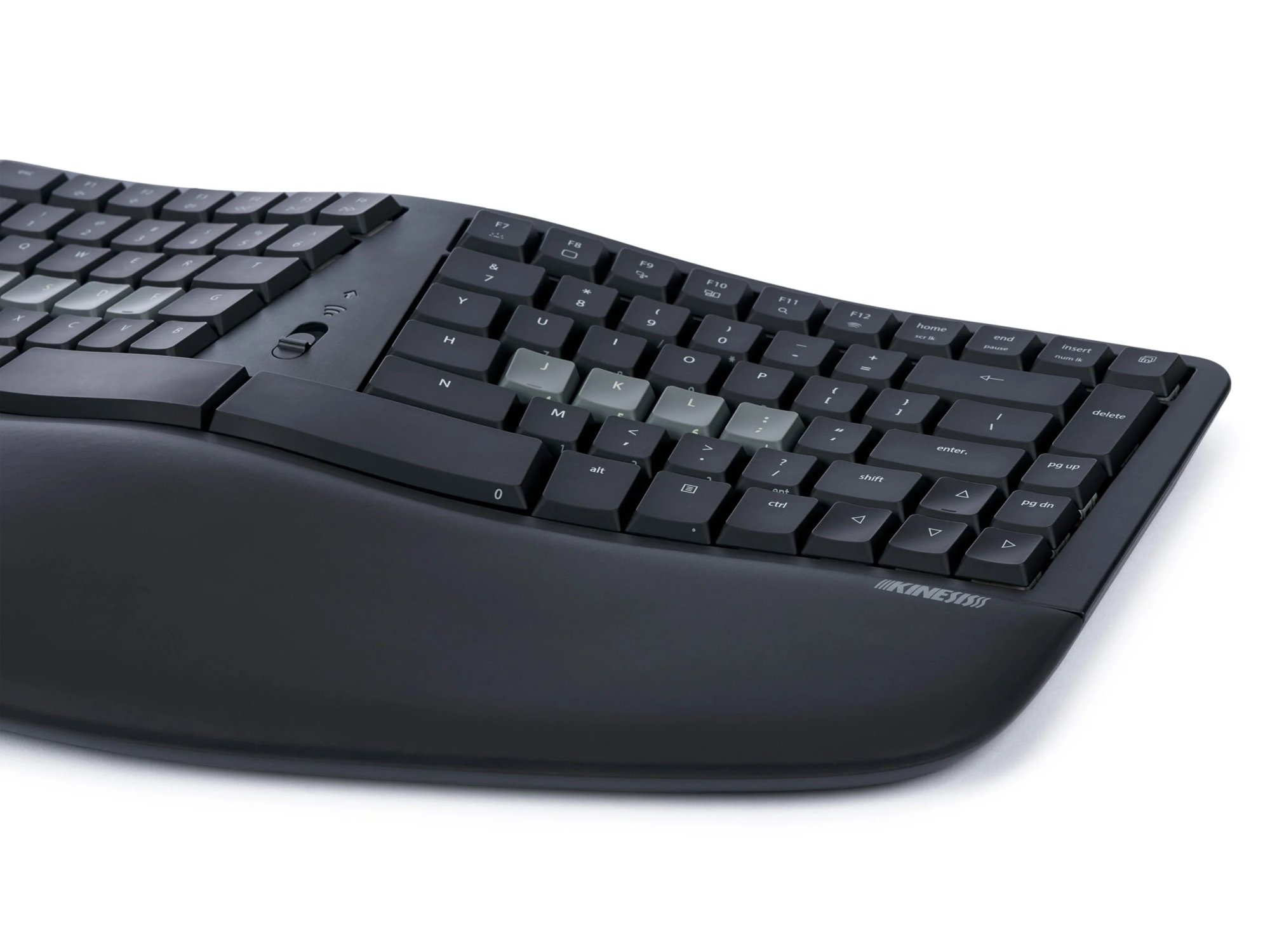
Integrated Palm Support - Velvety smooth, washable palm support promotes neutral typing position to reduce wrist extension.
Compact Tenkeyless Layout - Tenkeyless layout with embedded keypad results in a smaller footprint for closer mouse placement.
Negative Tilt - For those with sensitive wrists, snap on the magnetic feet for a negative typing angle. *tray recommended*
Tactile Home Row and Arrows - Find the home row and arrow keys without taking your eyes off the screen thanks to their unique sculpted shape.
Available Backlighting - Connect the keyboard via USB to illuminate the key legends for working in low light environments.
Electronics
Powerful Dual Layer Layout
Tenkeyless Layout: The mWave features all the keys you need, and none you don’t. Full-size Function keys, Arrow keys, and convenient Navigation keys like Home/End, Page Up/Page Down plus Insert/Delete.
Integrated Keypad: Use the Fn key to toggle into the Fn Layer for access to the standard numeric keypad actions. The integrated keypad makes data entry easy without ever leaving the home row.
Multimedia Actions: The mWave features 12 Windows hotkeys right at your fingertips.
Mute
Volume Down
Volume Up
Previous Track
Play/Pause
Next Track
Keyboard Backlight Toggle
Desktop
Snapshot Tool
Show All Windows
Search
Clear current Bluetooth Profile on keyboard for re-pairing
Windows hotkeys accessed by tapping the Fn key.
Fully Programmable with Clique
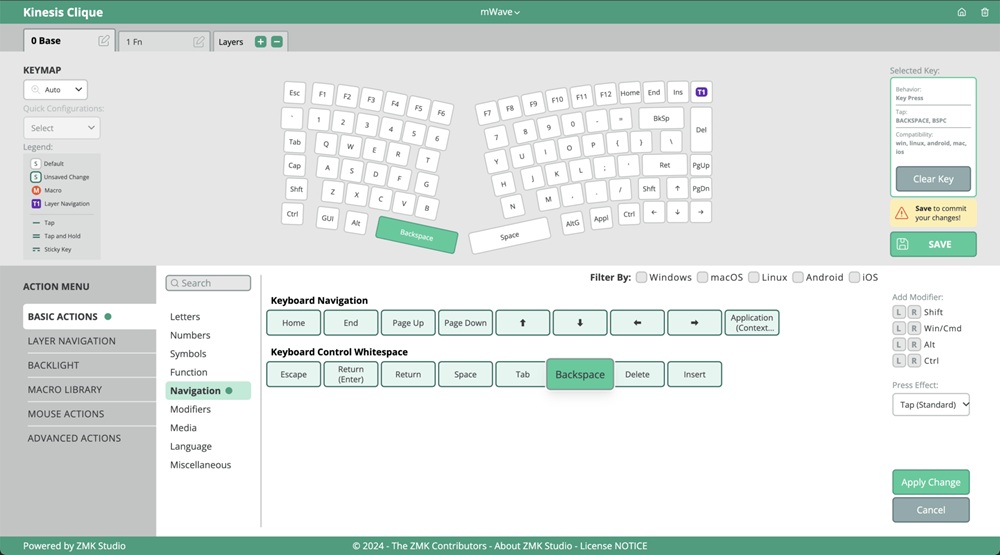
Thanks to the new Kinesis Clique Programming Engine custom programming your keyboard has never been easier. Just connect your mWave to a desktop PC with the USB cable and launch Clique using a Chrome or Edge browser! You can reprogram your keyboard in real-time and save your changes directly to the keyboard with the click of a a button.
No software to download
No drivers to install
No files to transfer
No firmware to flash
No account to create
BEGINNERS can visualize their layout and quickly arrange keys or assign basic macros in either layer. Try assigning backspace to your non-dominant space bar to boost your WPM.
POWER USERS can tap into a vast library of special actions to boost productivity for any work flow. The only limit is your imagination.
350+ USB actions
Create up to 8 Layers
Media Actions
Mouse Clicks
International Keys
Tap-and-Hold
Sticky Keys and much more…
Switches
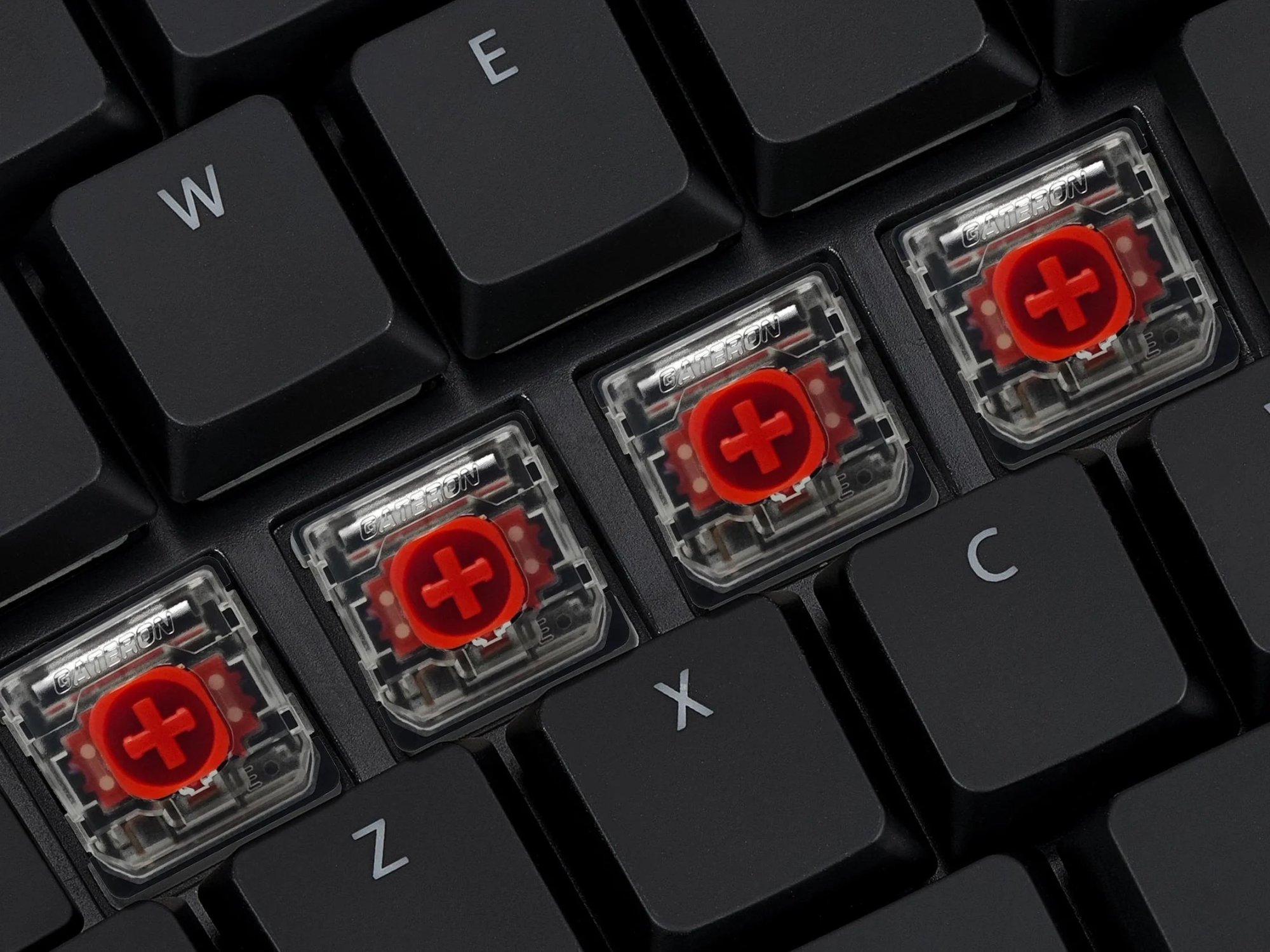
Gateron Low Profile Mechanical Key Switches (KS-33 2.0)
These new low profile switches provide the same great typing feel, travel, and durability. But without all the unnecessary height, maximizing ergonomics. Choose from two switch types:
- Quiet Red Stem
Linear Feel
Lowest Force (45g)
Full Travel (3.0mm)
Buffer Zone (1.3mm)
Durable (60M Presses)
- Brown
Tactile Feel
Low Force (55g)
Full Travel (3.0mm)
Buffer Zone (1.3mm)
Durable (60M Presses)
Specifications
| Plug-and-Play compatible with all USB operating systems |
|
| Connectivity |
|
| Power Source |
|
| Backlighting |
|
| Dimensions & Warranty |
|
Frequently Asked Questions
No FAQs available for this product. Have a question? Ask us!
Product Information
- Model KB150P-LIN
- Manufacturer Kinesis
- Part Number KB150P-LIN
- UPC 607998150016
- Operating System Windows, macOS, iOS/iPadOS, Linux, Android, Chrome
- Connection Type Wired USB or Wireless Bluetooth
- Range 30 feet
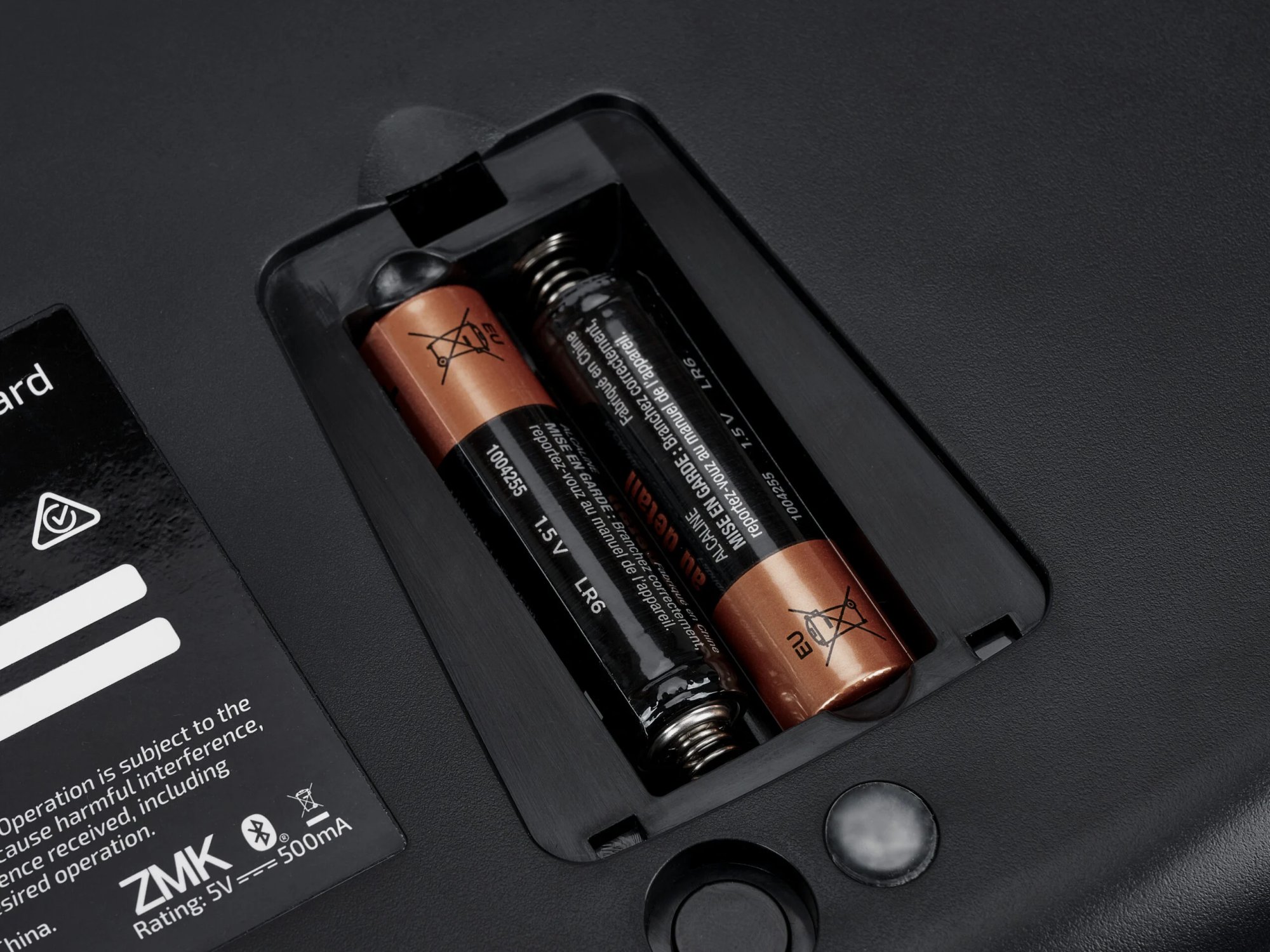
- Power Included USB A-to-C cable or via its 2 included AA Batteries
- Battery Life 18 Months
- Backlighting Available whenever connected over USB
- Width 15.25"
- Depth (front-to-back): 9.5"
- Height 1.75"
- Distance Between F & J Keys: 4.5"
- Weight 2.0 lbs
- Package Contents Keyboard, 6′ USB-C to USB-A Cable, Quick Start Guide, 2 AA Batteries
- Warranty 2 year limited
Be the first to share your thoughts on this product!
Warranty and Return Policy
Please review the following (3) stipulations to the warranty and returns policy that are unique to the TKO keyboard.
Warranty: 1 year limited from date of purchase.
Returns: A $35 restocking fee will be charged for TKO keyboards that are returned without the hard-shell travel case included.
Warranty Exemption on Hot Swappable Switch Sockets: This Warranty does not apply to damage to switch sockets caused by the customer. If a customer receives a product with a broken switch they must contact Kinesis within 7 days of purchase and submit a Support Ticket documenting the switch failure. Damage to switch sockets reported after 7 days will be assumed to have been the fault of the customer and will not be covered under warranty. If Kinesis receives a returned keyboard after 7 days and determines that the failure was caused by a damaged socket, warranty coverage will be denied.
Please refer to the Kinesis Gaming Warranty Page for further information.