Manufacturer Workrite (27)
Humanscale (11)
3M (7)
Idea@Work (22)
Innovative (1)
ErgoBrand (1)

Keyboard Trays

The position of your keyboard is key in creating an ergonomic workstation. Repetitive strain injury is caused by raising, extending or lifting your arms when using your keyboard or mouse. A keyboard tray can help you position your keyboard close to your body, slightly above your lap to enable your body to maintain its neutral posture. A good keyboard tray can bring ease and comfort to your desk. Adjustability is key in selecting a keyboard tray. The most important feature is the ability to adjust the height and the angle of the tilt independently. The addition of a dual mouse platform provides an extra platform for the second mouse. Research has shown that alternating between the right and left hand, when using the mouse, takes the pressure and stress from the dominant hand and prevents long term pain and injury in arms, wrists and shoulders.

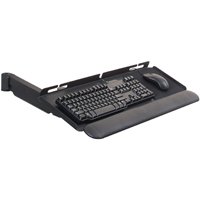
An important part of a healthy ergonomic workstation is the articulating keyboard tray. You can choose a keyboard tray with a single or dual mouse tray option, allowing maximum flexibility when configuring with your workspace.

Keyboard trays are vital tools in the prevention of carpal tunnel syndrome and other wrist and hand injuries due to repetitive use and motion. A premium articulated keyboard tray is an investment in your wellbeing, your happiness, and the quality of your work. The most used parts of the computer are the keyboard and the mouse, subjecting us to repetitive motions and awkward wrist motions.

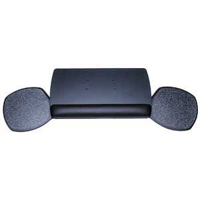
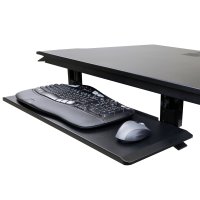
Our inventory includes under-desk mount keyboard trays, keyboard platforms, articulating keyboard trays, padded keyboard trays that sit on the desk, and dual mouse keyboard trays that allow for the user to switch the mouse to left or right hand use, as well as in-line keyboard trays that are wide enough to host a mouse in a single tray. 

Ergodirect.com is proud to feature the largest in-line keyboard tray, the 30” ED30KB keyboard tray. This articulating keyboard tray mount can host oversized keyboards as well as a mouse on each, the left and right side.

You’ll find the keyboard tray a financially sound investment, as they are affordable, durable, and versatile. Keyboard trays promote healthy work habits and postures, and can lead to the wellbeing of your team.

Each keyboard tray platform can be configured for left or right-hand users. You can configure the mouse platform to sit forward, sit in-line, or hover, layered over the keyboard for the right and comfortable positioning of the wrists and hands. 

Ergonomic Notes:

The best position while seated at your workstation is to have your wrists and lower arms positioned parallel to your lap. The tips of your fingers should be pointing slightly down in what is called a negative tilt, and your elbows should have support and be rested. This promotes healthy circulation and prevents any unnecessary tension from building up in your wrists, arms, hands and shoulders, resulting from extended periods at your workstation. A keyboard tray should be positioned within comfortable reach, allowing for your hands and wrists to relax while typing, and permitting your shoulders rest while at work. 

Your keyboard and mouse should be properly situated within the Neutral Reach Zone. This is a semicircle zone that surrounds the user and is based on the span of the reach and sweep of one’s lower arm while the upper arms and shoulders are resting at the side when in a natural sitting position. Articulating keyboard trays allow you to shape and fit your workstation to your individual size and posture.