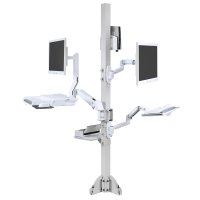
Flat Panel Dual LCD Stand Desk or Table Mount
Vertical or Horizontal Dual Monitor Floor Stand for LED Displays
9109-D-28 Dual LCD Desk Stand (28" Pole) with Pivot and Tilt
$417.00
$291.90
9113 Dual Side By Side Desk Stand with 16" Pole, Reach 14"
$563.00
$394.10
100-D16-B02 Dual Horizontal Desk Stand
$260.00
$159.63
100-D16-B02-HD Dual Horizontal Heavy Duty Desk Stand
$330.00
$208.69
100-D28-B11 Dual Vertical Desk Stand
$260.00
$164.43
100-D28-B11-HD Dual Vertical Heavy Duty Desk Stand
$330.00
$208.69
PSP-2VPM PSP Base with one 72" Pole, 2 VPM Mounts
$649.00
$615.21
Chief K3F120B KONTOUR 1x2 Free Standing Mount
$599.00
$239.20
Innovative 9109-Switch Dual LCD Stand - 14" Pole
$379.00
$265.30
Chief DSR210B FIT Series Dual Monitor Array
$124.00
$99.20
Dual LCD monitor display floor or desk stand increase work productivity
Components of a Healthy Workstation
Five must-have items comprise the essentials of a fully ergonomic workstation. These tools work together to promote working comfort and health, while minimizing the risk of pain, musculoskeletal disorders and exposure to indoor air pollution.
-
Monitor Arm and Laptop Holders
- Dual LCD stands or arms serve double duty in the ergonomic workspace. In addition to enabling ergonomic positioning of the monitor, monitor stands clear valuable desktop space for other uses and can make smaller workspaces more productive.
- Laptop holders allow ergonomic use of a laptop computer by propping the monitor up into an easy-to-view position and requiring the use of an external keyboard and mouse.
-
Articulating keyboard supports form the bridge between user and the computer
- They help prevent wrist pain and carpal tunnel syndrome, allow the upper body to relax, and maximize the function of an ergonomic task chair by enabling the user to work while fully engaged with the lumbar support. Look for keyboard supports with negative tilt adjustability to keep wrist straight and protect them from injury.
- Ergonomic task chair promote spontaneous movement and offer easy intuitive operation. Look for a chair that automatically adjusts to your body's needs with dynamic recline and lumbar support, Armrests that connect to the back of the chair - so they move with you during recline - are also a valuable feature.
-
Task light
- An often-overlooked ergo essential, the task light provides the right amount of light necessary for viewing hard copy documents and helps prevent glare and computer vision syndrome-a condition affecting up to 90% of computer users, causing eyestrain, eye fatigue, dry eyes, light sensitivity, blurred vision, headaches and other symptoms. Task lighting has been linked to boosts in mood and productivity, and allows lower levels of ambient lighting, yielding significant reductions in energy usage and associated costs.
-
Air purifier
- Indoor air quality is an integral element of an ergonomic workspace, and deficient air quality can have a direct-and significant-impact on the bottom line in the form of lost productivity and healthcare expenses. The best air cleaning solutions eliminate pollutants, dust and biological contaminants without disturbing the user with noise or breeze. Energy efficient and ozone-free operation are also important considerations in an air purifier.