Monitor Arms
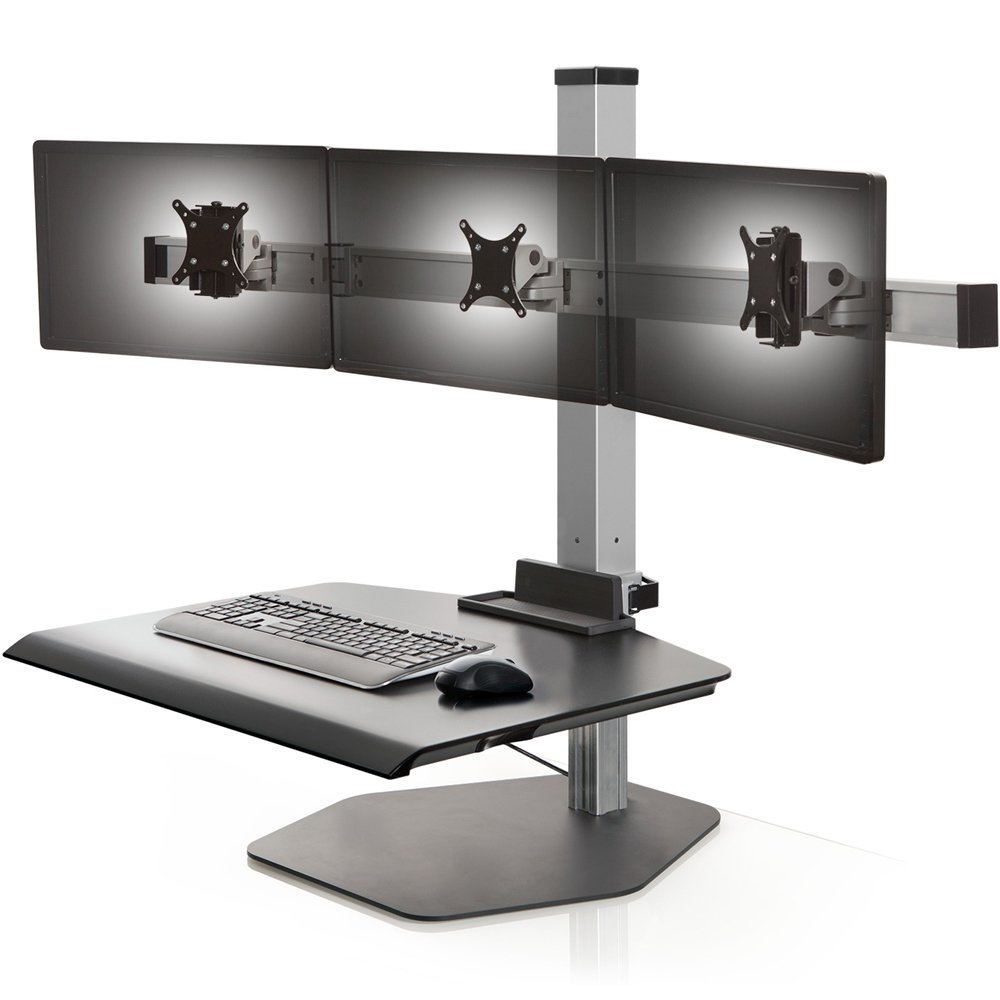
The positioning of your monitors is an absolutely critical component in creating a healthy, sustainable and ergonomic workspace. Too often we place our screens too near, too far, or too low, with the screen not facing us directly. The result is headaches, neck pain, and shoulder pain. A monitor that is too low will cause us to bend our necks, and the one placed too far away makes us lean in, causing to hunch our shoulders. A monitor arm will solve these problems. Attaching your LCD to an articulating arm allows you to adjust the height, tilt, pivot and rotation of the monitor arm to reach a comfortable ergonomic position . This will in turn increase your efficiency and productivity at the workplace. It will also keep your desk organized. You have the option of mounting your monitor arm on a desk, wall, pole, or ceiling for optimal viewing angle. Visit our blog to learn how to choose the right monitor arm.
Desk Mounts

EDM-1202D Long Reach Desk Mount
Horizontal reach: 34"
Vertical lift: 13"
For displays from 7-18 lbs
Screen size: up to 34"

Peak-1 Single Desk Mount
Vertical lift: 10"
For displays from up to 22 lbs
Screen size: up to 32"
$120.00 $79.95
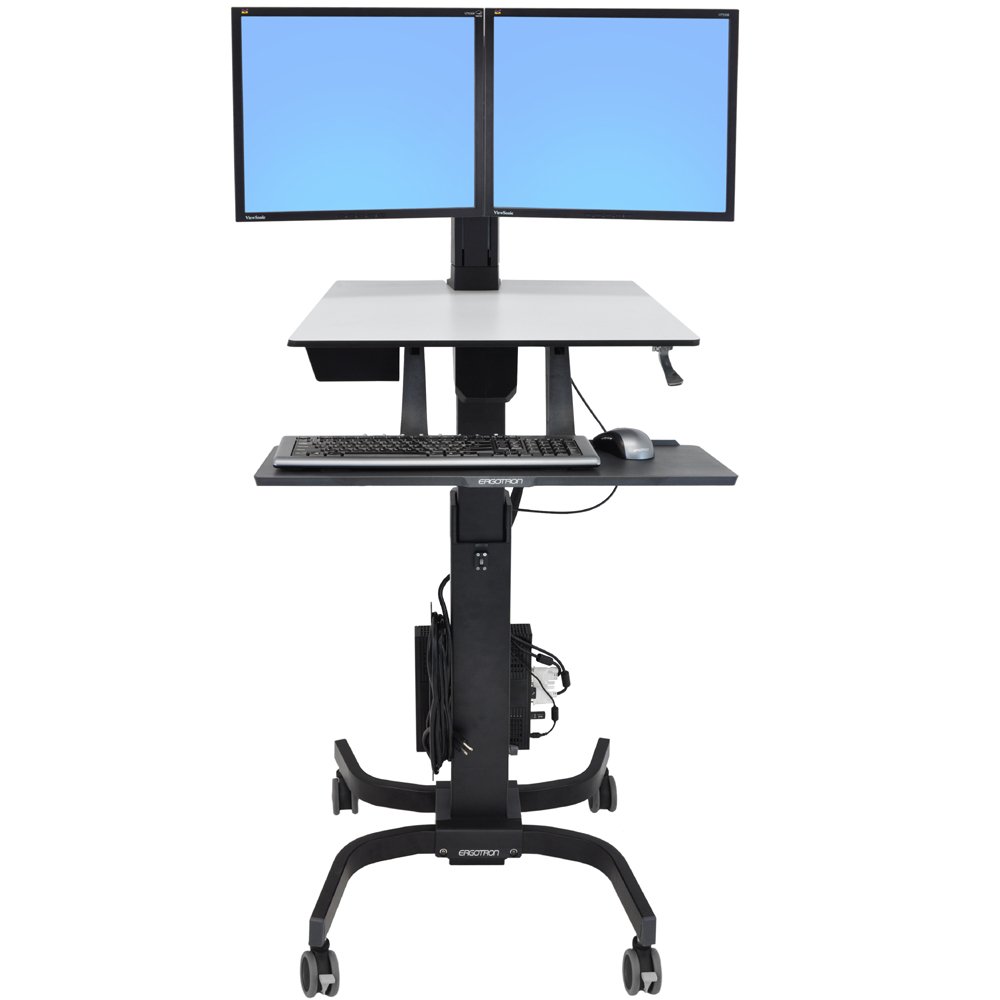
EDM-2201D Dual Sit-Stand Workstation
Horizontal reach: 32.8"
Vertical lift: 20"
For displays from 8-24 lbs (total)
Screen size: 17" - 24"
$525.00
EDM-20H Sit Stand Wall and Desk
Horizontal reach: 33"
Vertical lift: 20"
For displays from 7-18 lbs
Screen size: up to 46"
$690.00 $355.00
Chief DMA1 Single Desk Mount
Horizontal reach: 21.67"
Vertical lift: 12"
For displays from 2 - 15 lbs
Screen size: up to 32"
$416.00 $166.40
Ergotron TRACE 45-630-216 Single Desk Mount - White
Horizontal reach: 15"
Vertical lift: 11"
For displays from 6.5 - 21.5 lbs
Screen size: up to 38"
$425.00 $329.00
Ergotron TRACE 45-630-224 Single Desk Mount - Black
Horizontal reach: 15"
Vertical lift: 11"
For displays from 6.5 - 21.5 lbs
Screen size: up to 38"
$425.00 $329.00
7Flex Single Monitor Arm
Horizontal reach: 23.4"
Vertical adjustment: 16"
For displays from 7-17 lbs
Screen size: up to 32"

Ergotron 45-496-216 MXV Dual Monitor Arm - White (open box)
Horizontal reach: 17.8"
Vertical lift: 13"
For displays from 7-20 lbs per monitor
Screen size: up to 27"
$506.00 $324.00
Ergotron 45-496-216 MXV Desk Mount Dual Monitor Arm (white)
 Innovative 7500 Monitor Arm (2-40 lbs)

Ergotron 45-486-216 MXV Single Monitor Arm White (open box)
Horizontal reach: 22.2"
Vertical lift: 13"
For displays from 7-20 lbs
Screen size: up to 34"
$271.00 $191.20 Ergotron 45-384-026 LX HD Sit-Stand Desk Mount
 Ergotron 45-549-026 LX Dual Stacking Arm, Tall Pole (polished aluminum)
$540.00
$455.00
Ergotron 45-486-216 MXV Desk Monitor Arm (white)
$271.00
$245.00
Ergotron 45-549-026 LX Dual Stacking Arm, Tall Pole (polished aluminum)
$540.00
$455.00
Ergotron 45-486-216 MXV Desk Monitor Arm (white)
$271.00
$245.00
 Ergotron 45-486-026 MXV Desk Monitor Arm (polished aluminum)
Wall Mounts

EDM-1201W Long Reach Wall Mount
Horizontal reach: 34"
Vertical lift: 13"
For displays from 7- 25 lbs
Screen size: up to 34"

EDM-4518W Extra Long Reach Wall Mount
Horizontal reach: 45"
Vertical lift: 18"
For displays from 2-40 lbs
$772.40 Ergotron 45-505-026 MXV Wall Monitor Arm (polished aluminum)
$279.00
$245.00
Ergotron 45-505-026 MXV Wall Monitor Arm (polished aluminum)
$279.00
$245.00
 Ergotron 45-505-216 MXV Wall Monitor Arm (white)
$279.00
$245.00
Ergotron 45-505-216 MXV Wall Monitor Arm (white)
$279.00
$245.00
 45-243-026 LX LCD Wall Mount Arm
7Flex Single Monitor Arm
Horizontal reach: 23.4"
Vertical adjustment: 16"
For displays from 7-17 lbs
Screen size: up to 32"
Innovative 7500 Monitor Arm (2-40 lbs)
 Ergotron 45-353-026 LX Sit-Stand Wall Mount - 33" reach
 Ergotron 45-383-026 LX HD Sit-Stand Wall Mount
 45-231-200 - 200 Series Dual Monitor Arm
$467.00
$448.00
45-231-200 - 200 Series Dual Monitor Arm
$467.00
$448.00
 Ergotron 45-228-026 MX Wall Mount Monitor Arm
 Ergotron 45-268-026 LX Wall Mount Swing Arm (50 lbs)
$149.00
$145.00
Ergotron 45-268-026 LX Wall Mount Swing Arm (50 lbs)
$149.00
$145.00
 KWD230 Vertical Dual Monitor Wall Mount
$982.00
$392.80
KWD230 Vertical Dual Monitor Wall Mount
$982.00
$392.80
 Chief Steel Stud Wall Mount KWGSK110
$926.00
$370.40
Chief Steel Stud Wall Mount KWGSK110
$926.00
$370.40
 Chief KWDSK110 Metal Stud Wall Mount (40 lbs)
$686.00
$274.40
Chief KWDSK110 Metal Stud Wall Mount (40 lbs)
$686.00
$274.40
 47-092-800 Single Pivot 100 Series Wall Mount
$73.00
$69.00
47-092-800 Single Pivot 100 Series Wall Mount
$73.00
$69.00
Long Reach Arms
EDM-1201W Long Reach Wall Mount
Horizontal reach: 34"
Vertical lift: 13"
For displays from 7- 25 lbs
Screen size: up to 34"
EDM-1202D Long Reach Desk Mount
Horizontal reach: 34"
Vertical lift: 13"
For displays from 7-18 lbs
Screen size: up to 34"

EDM-1203W Sit Stand Long Reach Arm
Horizontal reach: 33"
Vertical lift: 20"
For displays from 11-27 lbs
Screen size: up to 32"
EDM-4518W Extra Long Reach Wall Mount
Horizontal reach: 45"
Vertical lift: 18"
For displays from 2-40 lbs
$772.40
EDM-1204W Long Reach Wall Mount
Horizontal reach: 34"
Vertical lift: 13"
For displays from 5-15 lbs
Screen size: up to 32"
$349.50 Cotytech MW-M123PN Long Reach Medical Arm (72")
$710.99
Cotytech MW-M123PN Long Reach Medical Arm (72")
$710.99
 Cotytech MW-M123WBN Long Reach LCD Medical Arm (72")
$760.99
Cotytech MW-M123WBN Long Reach LCD Medical Arm (72")
$760.99
 Cotytech MW-M125PN Long Reach Medical Arm (72")
$739.99
Cotytech MW-M125PN Long Reach Medical Arm (72")
$739.99
 Cotytech MW-M125WBN Long Reach Medical Arm (72")
 Cotytech CM-M123N Long Reach Ceiling Mount (72")
$899.90
Cotytech CM-M123N Long Reach Ceiling Mount (72")
$899.90
 Cotytech CM-M125N Long Reach Ceiling Mount (72")
$931.99
Cotytech CM-M125N Long Reach Ceiling Mount (72")
$931.99
 Cotytech CM-M23KN Long Reach Ceiling Mount (72")
$964.99
Cotytech CM-M23KN Long Reach Ceiling Mount (72")
$964.99
 Cotytech CM-M25KN Long Reach Ceiling Mount (72")
$994.99
Cotytech CM-M25KN Long Reach Ceiling Mount (72")
$994.99
 Cotytech MW-M23PKN Long Reach Wall Mount (72")
$774.99
Cotytech MW-M23PKN Long Reach Wall Mount (72")
$774.99
 Cotytech MW-M23WBKN Long Reach Monitor Arm (72")
$840.99
Cotytech MW-M23WBKN Long Reach Monitor Arm (72")
$840.99
 Cotytech MW-M25WBKN Long Reach Wall Mount (72")
$854.99
Cotytech MW-M25WBKN Long Reach Wall Mount (72")
$854.99
Heavy Duty Arms
 Innovative 9105-XHD Extra Heavy Duty Monitor Arm (35.5-69.1 lbs)
$1,394.15
$975.90
Innovative 9105-XHD Extra Heavy Duty Monitor Arm (35.5-69.1 lbs)
$1,394.15
$975.90
 Innovative 9105 Heavy Duty Monitor Arm (8.5-54 lbs)
$715.00
$500.50
Innovative 7500 Monitor Arm (2-40 lbs)
Innovative 9105 Heavy Duty Monitor Arm (8.5-54 lbs)
$715.00
$500.50
Innovative 7500 Monitor Arm (2-40 lbs)
 Ergotron 45-269-009 LX TV Wall Mount Pivot (50 lbs)
$118.00
$105.00
Chief KWDSK110 Metal Stud Wall Mount (40 lbs)
$686.00
$274.40
Ergotron 45-268-026 LX Wall Mount Swing Arm (50 lbs)
$149.00
$145.00
Ergotron 45-269-009 LX TV Wall Mount Pivot (50 lbs)
$118.00
$105.00
Chief KWDSK110 Metal Stud Wall Mount (40 lbs)
$686.00
$274.40
Ergotron 45-268-026 LX Wall Mount Swing Arm (50 lbs)
$149.00
$145.00
 Chief KTG220 Dual Horizontal Arm (35 lbs per monitor)
$792.00
$316.80
Chief KTG220 Dual Horizontal Arm (35 lbs per monitor)
$792.00
$316.80

Chief KTG225 Dual Grommet Mount Monitor Arm
Horizontal reach: 0"
Vertical adjustment: 0"
For displays up to 35 lbs (per monitor)
Screen size: 10 - 30"
$856.00 $342.40
HAT 9139 Single HD Data Entry Monitor Arm
Horizontal reach: 25.3"
Vertical adjustment: 19.4"
For displays from 6.8-36.2 lbs
Screen size: up to 27"
$705.00 Chief KTG230 Dual Vertical Monitor Arm (35 lbs per monitor)
$872.00
$348.80
Chief KTG230 Dual Vertical Monitor Arm (35 lbs per monitor)
$872.00
$348.80
 Ergotron 61-128-085 Glide Wall Mount, VHD (45-70 lbs)
 Ergotron 61-061-085 Glide HD Wall Mount (20-40 lbs)
Ergotron 45-228-026 MX Wall Mount Monitor Arm
Ergotron 61-061-085 Glide HD Wall Mount (20-40 lbs)
Ergotron 45-228-026 MX Wall Mount Monitor Arm
 45-214-026 MX Desk Mount Monitor Arm
 60-239-007 FX30 Fixed Wall Mount
$62.00
$55.00
60-239-007 FX30 Fixed Wall Mount
$62.00
$55.00

HAT 9112-S-28 Single Monitor Arm
Horizontal reach: 13.4"
Vertical adjustment: 0"
For displays up to from 30 lbs
Screen size: up to 32"
$185.00Point-of-Sale Mounts
 9189 POS Through Counter Mount
$216.32
$151.45
9189 POS Through Counter Mount
$216.32
$151.45
 9183-15 Adjustable POS Countertop Mount
$270.14
$189.10
9183-15 Adjustable POS Countertop Mount
$270.14
$189.10
 9190 Fixed Height 7" POS Countertop Mount
$163.00
$114.10
9190 Fixed Height 7" POS Countertop Mount
$163.00
$114.10
 Point of Sales iPad Secure Mount, Countertop - 9189-12-8424
$167.00
$116.90
Point of Sales iPad Secure Mount, Countertop - 9189-12-8424
$167.00
$116.90
 9189-12-8438 Secure iPad Through Counter Mount
$228.00
$159.60
9189-12-8438 Secure iPad Through Counter Mount
$228.00
$159.60
 Innovative 9183-39-BB Dual Back to Back POS Arm
$345.00
Innovative 9183-39-BB Dual Back to Back POS Arm
$345.00
 Innovative 9235 Payment Terminal Mount
$199.50
Innovative 9235 Payment Terminal Mount
$199.50
 Innovative 9236 iPad/Tablet POS Mount
$195.00
Innovative 9236 iPad/Tablet POS Mount
$195.00
 Height Adjustable POS Countertop Mount - Innovative 9183-23
$292.91
$205.00
Height Adjustable POS Countertop Mount - Innovative 9183-23
$292.91
$205.00
 Innovative 9183-39 Height Adjustable Point of Sale Countertop Mount
$314.64
$220.25
Innovative 9183-39 Height Adjustable Point of Sale Countertop Mount
$314.64
$220.25
 Height Adjustable POS Through Counter Mount - Innovative 9189-24
$238.05
$166.65
Height Adjustable POS Through Counter Mount - Innovative 9189-24
$238.05
$166.65
 VESA Adapter 75/100mm - Innovative MNYK10-STVB
Call for price
VESA Adapter 75/100mm - Innovative MNYK10-STVB
Call for price
Pole Mounts
Innovative 7500 Monitor Arm (2-40 lbs)
Innovative 9105 Heavy Duty Monitor Arm (8.5-54 lbs)
$715.00
$500.50
 Innovative 7045 Flexible Monitor Arm with Angled Forearm
$426.00
$298.20
Innovative 7045 Flexible Monitor Arm with Angled Forearm
$426.00
$298.20

HAT/Innovative 3545 Single Desk Mount
Horizontal reach: 17.5"
Vertical lift: 9.5"
For displays from 1.5 - 28 lbs
Screen size: up to 30"
$401.00 $280.70 7500-WING Dual Monitor Arm
$781.00
$546.70
7500-WING Dual Monitor Arm
$781.00
$546.70
 JPP Series Pivot/Tilt Pole Mount
$268.00
$190.40
JPP Series Pivot/Tilt Pole Mount
$268.00
$190.40
 Innovative 7000 LCD Monitor Arm - 23.4" Reach
$346.00
$242.20
Innovative 7000 LCD Monitor Arm - 23.4" Reach
$346.00
$242.20
7000 Single Monitor Arm (open box)
Horizontal reach: 23.4"
Vertical adjustment: 16"
For displays from 3-28 lbs
Screen size: up to 32"
$334.00 $211.00 3500 Short Reach Radial Arm
$352.00
$246.40
3500 Short Reach Radial Arm
$352.00
$246.40
 KPP110 Pivot/Tilt Pole Mount
$336.00
$134.40
KPP110 Pivot/Tilt Pole Mount
$336.00
$134.40
 9170 LCD Pole Clamp Mount (up to 45 lbs)
$283.59
$198.50
9170 LCD Pole Clamp Mount (up to 45 lbs)
$283.59
$198.50
 9140 Flexible Data Entry Arm
$345.00
9140 Flexible Data Entry Arm
$345.00
HAT 9139 Single HD Data Entry Monitor Arm
Horizontal reach: 25.3"
Vertical adjustment: 19.4"
For displays from 6.8-36.2 lbs
Screen size: up to 27"
$705.00 7509 Data Entry Arm with Flip-up Keyboard
$1,167.00
$816.90
7509 Data Entry Arm with Flip-up Keyboard
$1,167.00
$816.90
 Innovative 7000-Switch Dual Arm
$526.00
$368.20
Innovative 7000-Switch Dual Arm
$526.00
$368.20
 Innovative 9110-8460 Wire Shelving Mount
$146.97
$102.85
Innovative 9110-8460 Wire Shelving Mount
$146.97
$102.85
Ceiling Mounts
Cotytech CM-M123N Long Reach Ceiling Mount (72")
$899.90
Cotytech CM-M125N Long Reach Ceiling Mount (72")
$931.99
Cotytech CM-M23KN Long Reach Ceiling Mount (72")
$964.99
Cotytech CM-M25KN Long Reach Ceiling Mount (72")
$994.99
 Small Flat Panel Ceiling Mount Kit - Chief FHPVB
$330.00
$238.40
Small Flat Panel Ceiling Mount Kit - Chief FHPVB
$330.00
$238.40
 FHSVB Small Ceiling Mount
$170.00
$120.80
FHSVB Small Ceiling Mount
$170.00
$120.80
 FHP110 Small Ceiling Mount Kit
$330.00
$238.40
FHP110 Small Ceiling Mount Kit
$330.00
$238.40
 JHS Series Medium Ceiling Mount
$223.00
$156.00
JHS Series Medium Ceiling Mount
$223.00
$156.00
 Chief XCM1U X-Large Single Pole Ceiling Mount
$842.00
$560.00
Chief XCM1U X-Large Single Pole Ceiling Mount
$842.00
$560.00
 Chief LCM1U FUSION Large Single Ceiling Mount
$516.00
$367.20
Chief LCM1U FUSION Large Single Ceiling Mount
$516.00
$367.20
 Chief LCM1UP FUSION Large Portrait Ceiling Mount
$516.00
$367.20
Chief LCM1UP FUSION Large Portrait Ceiling Mount
$516.00
$367.20
 Chief MCM1U Medium Flat Panel Ceiling Mount
$397.00
$283.20
Chief MCM1U Medium Flat Panel Ceiling Mount
$397.00
$283.20
Slatwall Mounts

Workrite Ergonomics Conform Single Monitor Arm
Horizontal reach: 22.5"
Vertical adjustment: 13"
For displays from 5-17 lbs
Max. monitor height: 16"
$352.00 $220.00
Innovative 7500 Monitor Arm (2-40 lbs)
Innovative 7045 Flexible Monitor Arm with Angled Forearm
$426.00
$298.20
HAT/Innovative 3545 Single Desk Mount
Horizontal reach: 17.5"
Vertical lift: 9.5"
For displays from 1.5 - 28 lbs
Screen size: up to 30"
$401.00 $280.70
HAT 9112-S-28 Single Monitor Arm
Horizontal reach: 13.4"
Vertical adjustment: 0"
For displays up to from 30 lbs
Screen size: up to 32"
$185.00
7500-WING Dual Monitor Arm
$781.00
$546.70
 Innovative 9130-S-28 Long Reach Monitor Mount (28" Pole)
$254.35
Innovative 9130-S-28 Long Reach Monitor Mount (28" Pole)
$254.35
7000 Single Monitor Arm (open box)
Horizontal reach: 23.4"
Vertical adjustment: 16"
For displays from 3-28 lbs
Screen size: up to 32"
$334.00 $211.00
Innovative 7000 LCD Monitor Arm - 23.4" Reach
$346.00
$242.20
3500 Short Reach Radial Arm
$352.00
$246.40
 9112-D-28 Dual Monitor Mount (28" Pole)
$456.44
$319.50
9112-D-28 Dual Monitor Mount (28" Pole)
$456.44
$319.50
 9136-D-28 Articulating Dual Monitor 28" Pole Mount
$406.76
$284.70
9136-D-28 Articulating Dual Monitor 28" Pole Mount
$406.76
$284.70
 9120-D-28 Quad Flat Panel Mount
$929.43
$650.60
7509 Data Entry Arm with Flip-up Keyboard
$1,167.00
$816.90
Innovative 7000-Switch Dual Arm
$526.00
$368.20
9120-D-28 Quad Flat Panel Mount
$929.43
$650.60
7509 Data Entry Arm with Flip-up Keyboard
$1,167.00
$816.90
Innovative 7000-Switch Dual Arm
$526.00
$368.20
 9136-S-14 Articulating Monitor Mount (14" Pole)
$227.70
$159.40
9136-S-14 Articulating Monitor Mount (14" Pole)
$227.70
$159.40


Wall Mount Workstations
 Ergotron 45-266-026 Sit-Stand Combo Arm
 KWT110B All-In-One Wall Mount System
$2,566.00
$1,026.40
KWT110B All-In-One Wall Mount System
$2,566.00
$1,026.40
 45-247-026 LX Wall Mount System
$1,137.00
$959.00
45-247-026 LX Wall Mount System
$1,137.00
$959.00
 45-230-216 Combo 200 Series Wall Mount Arm
$619.00
$589.00
45-230-216 Combo 200 Series Wall Mount Arm
$619.00
$589.00
 45-230-200 Combo LCD and Keyboard Tray Arm
9140 Flexible Data Entry Arm
$345.00
45-230-200 Combo LCD and Keyboard Tray Arm
9140 Flexible Data Entry Arm
$345.00
HAT 9139 Single HD Data Entry Monitor Arm
Horizontal reach: 25.3"
Vertical adjustment: 19.4"
For displays from 6.8-36.2 lbs
Screen size: up to 27"
$705.00
7509 Data Entry Arm with Flip-up Keyboard
$1,167.00
$816.90
 45-253-026 LX Wall Mount System
$1,136.00
$959.00
45-253-026 LX Wall Mount System
$1,136.00
$959.00
 45-260-216 Sit-Stand Combo Arm with Worksurface (white)
$1,016.00
$983.18
45-260-216 Sit-Stand Combo Arm with Worksurface (white)
$1,016.00
$983.18
 45-266-216 StyleView Sit-Stand Combo Arm (white)
$731.00
$715.99
45-266-216 StyleView Sit-Stand Combo Arm (white)
$731.00
$715.99
 60-609-216 Wall Mount Vertical Lift, Patient Exam Room
$833.00
$783.85
60-609-216 Wall Mount Vertical Lift, Patient Exam Room
$833.00
$783.85
 60-595-062 VL Wall Mount Enclosure
$1,625.00
60-595-062 VL Wall Mount Enclosure
$1,625.00
 Ergotron 45-260-026 StyleView Sit-Stand Combo Arm with Worksurface
 45-270-026 Styleview® Sit-Stand Combo System with Worksurface
 Ergotron 45-272-026 StyleView® Sit-Stand Combo System with Worksurface
$1,270.00
$1,225.00
Ergotron 45-272-026 StyleView® Sit-Stand Combo System with Worksurface
$1,270.00
$1,225.00
By using a monitor arm you are able to elevate the level of the monitor to the eye level of the user, reducing neck and shoulder pain and stress. A significant part of the healthy ergonomic workspace, the monitor arm is crucial in creating a comfortable space to work, and it frees up valuable desk space for non-computer related work.
We offer products from the leading ergonomic manufacturers, like: Chief, Peerless, Ergotron, Innovative, Workrite, Humanscale, ISE, and many more. No matter what you facility specifications are, we feature wall mount, desk mount, pole mount, desk clamp, and desk-mount sit-to-stand monitor arms.
Monitor arms vary considerably in the amount of height and depth adjustment range offered. Adjustable monitor arms for LCD monitors, can rotate up to 180 degrees up and down. They also tilt the monitor up or down for better viewing angles. Whether you need to mount a single LCD flatscreen monitor, or you need to mount up to six (6) screens at once, we have the product that will fit your needs. No matter if you are equipping an office, a classroom, or a retail space, our inventory includes the perfect product for your facility and user needs. From easy to install desk mount arms for LCD screens, to secure wall mount, you can select from Humanscale, Ergotron, Chief, and Peerless monitor arms that are sleek in design, stable in construction, and secure in displaying your valuable monitors.
We also offer the flexible Ergotron LX series monitor and laptop arms, with platforms large enough to host a laptop up to 19” wide. If you are still using CRT and TV monitors, we have the Ergotron LX HD series wall mount that can support TV monitors up to 50 lbs.
You can fit just about any monitor to any of our systems, using a VESA compliant mounting plates and adapters. If you are searching for a simple desk mount, single monitor system, like the Chief KCD 110, or need a more sophisticated display for multiple monitors or digital signage, like the Innovative LCD monitor beam, 9169 D-3, we have all the options to fit your needs.
Monitor Placement Notes
Adjust the monitor height so that the top of the screen is at or slightly below eye level. Your eyes should look slightly downward when viewing the middle of the screen.
Position the monitor no closer than 20 inches (508 mm) from your eyes. A good rule of thumb is an arm’s length distance. The larger your screen, the more distance you will want.
Adjust the screen position to eliminate glare from windows and ceiling lights.
If lighting conditions permit, tilt the monitor back 10° to 20°: this maintains the same distance between your eyes and the screen as you scan it from top to bottom.

 Shopping Cart